Knowledge
The Ultimate Blender Shortcut Reference Guide
Blender Reference
Built for 3D artists, modelers, animators, and digital creators.
This Blender shortcut guide is designed to speed up everyday production workflows
and keep essential hotkeys within easy reach.
Whether you’re modeling, sculpting, animating, shading, or working with Geometry Nodes,
this reference is organized to help you find the right shortcut quickly.
A categorized, searchable hotkey guide for Blender navigation, modeling, sculpting, UV editing, animation, shading, Geometry Nodes, rendering, and interface productivity.
No matching shortcuts found.
Selection & Object Mode
A
Select All
Alt + A
Play Animation
B
Box Select
C
Circle Select
L
Select Linked
Shift + G
Select Similar
Ctrl + I
Invert Selection
Alt + A
Deselect All in older keymaps / Play Animation in current keymap
X
Delete
Shift + D
Duplicate
Alt + D
Duplicate Linked
M
Move to Collection
H
Hide Selected
Alt + H
Unhide All
Shift + H
Hide Unselected
/
Local View / Isolate Selection
Transform Tools
G
Move / Grab
R
Rotate
S
Scale
G, X / Y / Z
Move Along Axis
R, X / Y / Z
Rotate Around Axis
S, X / Y / Z
Scale Along Axis
Shift + X / Y / Z
Exclude Axis During Transform
Ctrl while transforming
Snap Incrementally
Shift while transforming
Fine Adjustment
Alt + G
Clear Location
Alt + R
Clear Rotation
Alt + S
Clear Scale
Ctrl + A
Apply Transform
N
Open Sidebar / Transform Panel
Edit Mode & Modeling
Tab
Toggle Object Mode / Edit Mode
1
Vertex Select
2
Edge Select
3
Face Select
E
Extrude
I
Inset Faces
Ctrl + R
Loop Cut
K
Knife Tool
F
Fill Face / Create Edge
J
Connect Vertex Path
V
Rip
Alt + V
Rip Fill
M
Merge
Y
Split
P
Separate
Ctrl + B
Bevel
Ctrl + Shift + B
Vertex Bevel
Alt + E
Extrude Menu
Alt + M
Merge Menu in older versions
Shift + N
Recalculate Normals Outside
Alt + N
Normals Menu
Ctrl + L
Select Linked Geometry
Ctrl + +
Grow Selection
Ctrl + –
Shrink Selection
Sculpting
Shift
Smooth Brush
F
Brush Size
Shift + F
Brush Strength
Ctrl
Invert Brush Effect
Ctrl + Tab
Mode Pie Menu
X
Toggle Symmetry
D
Dynamic Topology Toggle / Detail Depending on Context
R
Voxel Remesh / Remesh Shortcut Depending on Setup
M
Mask Brush
Alt + M
Clear Mask
Ctrl + I
Invert Mask
H
Hide Masked / Context Dependent
UV Editing
U
UV Mapping Menu
E
Extrude UVs / Context Dependent
G
Move UVs
R
Rotate UVs
S
Scale UVs
P
Pin UVs
Alt + P
Unpin UVs
A
Select All UVs
B
Box Select UVs
Ctrl + L
Select Linked UVs
Shift + W
Weld / Stitch Context Depending on Editor
Ctrl + E
Edge Menu
Animation & Timeline
Spacebar
Play / Pause Animation
Shift + Spacebar
Maximize Editor Area
I
Insert Keyframe
Alt + I
Delete Keyframe
Shift + I
Insert Keyframe Menu
Left Arrow
Previous Frame
Right Arrow
Next Frame
Shift + Left Arrow
First Frame
Shift + Right Arrow
Last Frame
Up Arrow
Next Keyframe
Down Arrow
Previous Keyframe
Ctrl + Tab
Switch Animation Editors / Context Dependent
T
Open Tool Shelf / Interpolation Tools depending on editor
Shading, Materials & Rendering
Z
Open Shading Pie Menu
2
Material Preview in some keymaps / Edge Select in Edit Mode
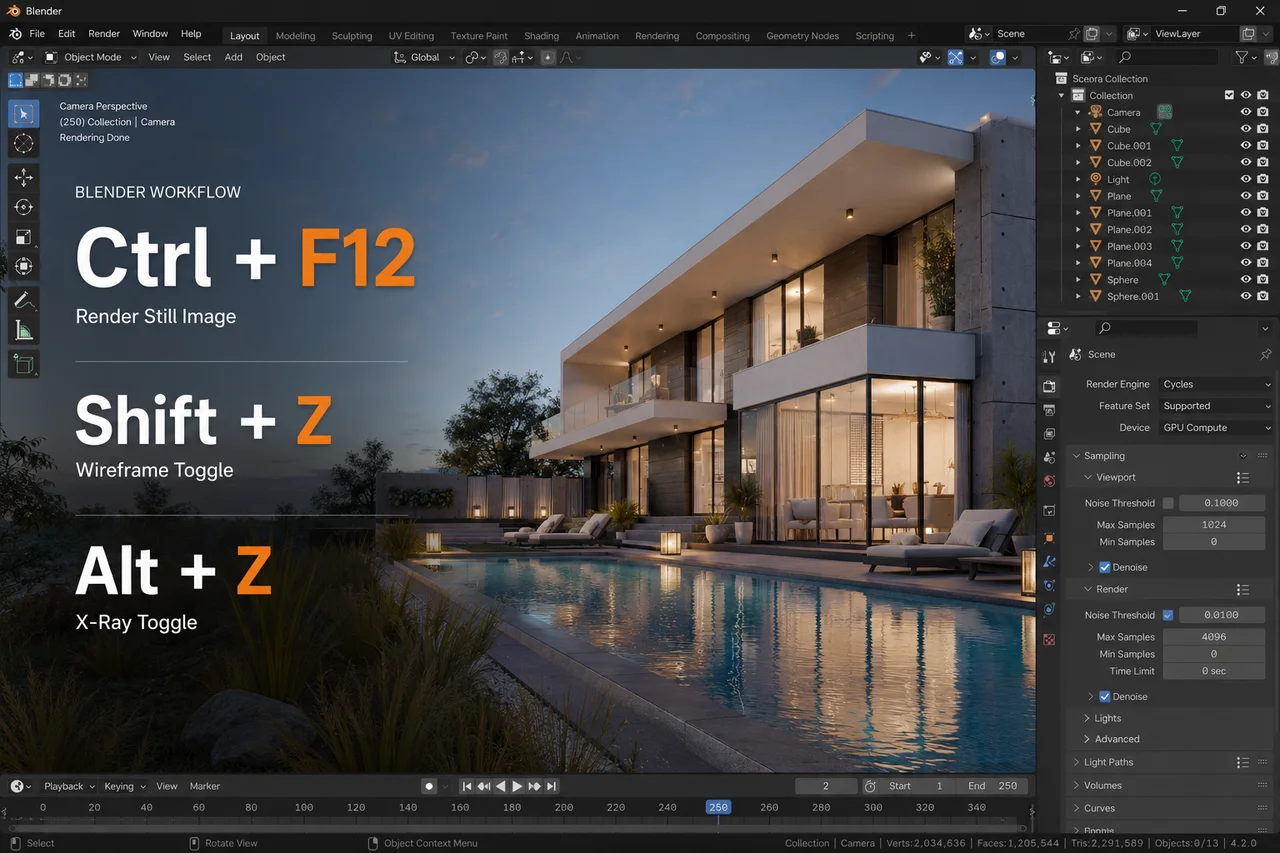
Shift + Z
Rendered View
Alt + Z
X-Ray Toggle
F12
Render Image
Ctrl + F12
Render Animation
Esc
Cancel Render
Ctrl + B
Set Render Border
Ctrl + Alt + B
Clear Render Border
Shift + A
Add Node / Add Object depending on editor
Ctrl + T
Add Texture Coordinate Setup with Node Wrangler
Ctrl + Shift + Click
Preview Node with Node Wrangler
Geometry Nodes & Nodes
Shift + A
Add Node
Ctrl + Right Click Drag
Cut Node Links
F
Make Link / Context Dependent
M
Mute Selected Node
Ctrl + G
Make Node Group
Tab
Enter / Exit Node Group
Ctrl + Tab
Exit Node Group / Context Dependent
H
Collapse Node
Alt + H
Uncollapse Node
Ctrl + J
Frame Selected Nodes
N
Open Sidebar
Home
Frame All Nodes
Productivity & Interface
Shift + A
Add Menu
F3
Search Menu
Ctrl + S
Save File
Shift + Ctrl + S
Save As
Ctrl + O
Open File
Ctrl + N
New File
Ctrl + Z
Undo
Shift + Ctrl + Z
Redo
Ctrl + Spacebar
Maximize Area
Shift + F4
Python Console
Shift + F5
3D Viewport
Shift + F6
Graph Editor
Shift + F7
Properties Editor
Shift + F8
Video Sequencer