
3D Graphics
Autodesk Mudbox Discontinued After 20 Years — Here’s What Happened
Autodesk Mudbox Discontinued After 20 Years — Here’s What Happened
On August 7, 2026, Autodesk officially announced the discontinuation of Mudbox. A digital sculpting and texture painting tool that has held its place for nearly two decades is now heading into end-of-sale. This carries real weight for artists who’ve built their workflows around it — whether you’re in film, games, or VFX, this changes things. If you’re still using Mudbox as your primary tool, decisions need to be made now.
This isn’t just a discontinuation notice. We’re breaking down why Mudbox reached this point, what the EOL actually means in practical terms, and how to evaluate your next move. Whether you’ve already switched tools or you’re still committed to Mudbox, there’s something here that requires your attention.
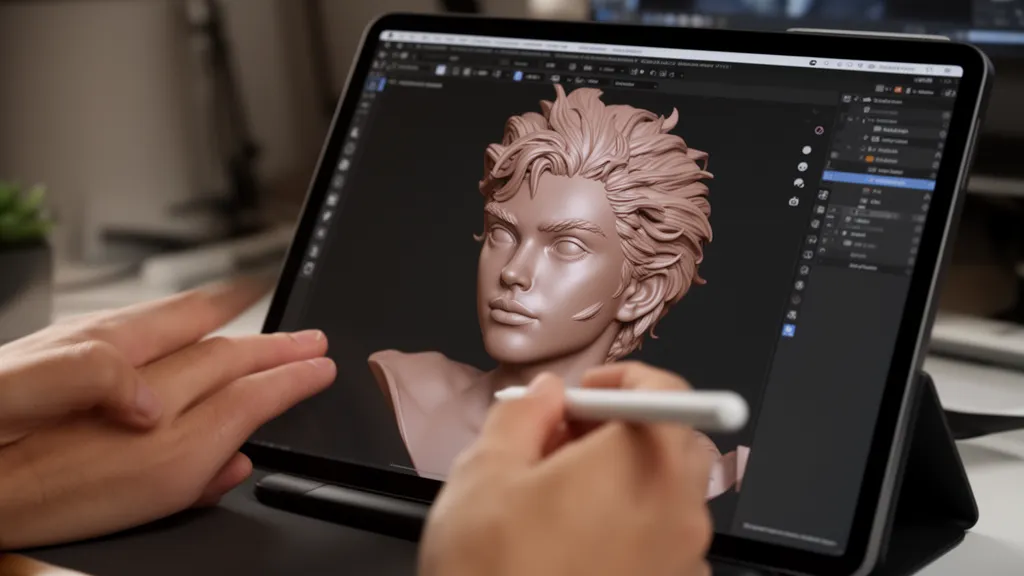
What Mudbox Was — and Why It’s Being Discontinued
Mudbox’s origins trace back to Weta Digital. Around 2001, the team started building their own sculpting tools for The Lord of the Rings work. By 2005, it was put into production use for Peter Jackson’s King Kong remake. Three developers spun out of Weta to form Skymatter, and in February 2007, Mudbox 1.0 launched. Autodesk acquired Skymatter that August.
For years after the acquisition, updates kept coming. Layer-based texture painting, PTEX support, the “Send To” bridge with Maya, vector displacement map (VDM) stamps, and dynamic tessellation in the 2018.2 release. That dynamic tessellation system — which automatically subdivided polygons where you needed them during sculpting — was hailed by the community as “the first major feature in years.” It was also Mudbox’s last significant addition.
The Autodesk FAQ spells it out clearly: “No major feature improvements since 2019.” The 2020 release was two Mac bug fixes and Flame integration. From 2022 through 2027, six years of annual updates shipped without a single new feature. Mudbox 2027 hit the shelves with zero new features in its release notes. The CG community had already written this tool’s obituary long before the official announcement.
Mudbox’s discontinuation isn’t an accident. It’s the formalization of a pattern that started in 2019. If you saw this coming, you should’ve been planning your exit. If you didn’t, there’s still time.
Autodesk has form here. Softimage XSI, which dominated VFX for years, followed the same path after Autodesk acquired it. Scaleform GFx, Beast, and Navigation all got the same treatment. The “acquire → abandon → kill” cycle isn’t unique to Mudbox. By contrast, Mari — another Weta Digital product — is thriving under Foundry’s stewardship and still getting active development. The takeaway: the future of a tool depends on whether its owner has the will to keep developing it. Mudbox just proved that lesson again.
What “Discontinuation” Actually Means
If you read “end of life” as “your software stops working tomorrow,” you’ll panic for no reason. Reality is different. Discontinuation means no new sales or renewals. Software already installed keeps running. If you held an active subscription as of August 7, you get a free 5-year Mudbox 2027 license. If you had multiple subscriptions, you get one license per subscription. These licenses will roll out through the end of August. Technical support and security fixes are included for the first three years only.
| Milestone | Date / Details |
|---|---|
| 3-year subscriptions: sales end | August 7, 2026 |
| 1-year and monthly subscriptions: sales end | November 7, 2026 (last purchase available November 6) |
| Removed from Autodesk Flex | November 7, 2026 |
| Final version | Mudbox 2027 |
| Support for existing subscribers | Free 5-year Mudbox 2027 license (technical support and security fixes for 3 years) |
The real concern is compatibility drift. Once security patches and OS updates stop coming, each major OS or driver release will increase the odds of Mudbox breaking. That 5-year free license window? Think of it as your migration runway.
License terms, conversion details, and how to access existing projects after Flex removal are in Autodesk’s official FAQ. Your conditions may vary depending on your subscription type (single license vs. M&E Collection).
Why Mudbox Resonated — and What You’re Losing
Mudbox’s staying power wasn’t about raw tech. It was about familiarity and intuitive workflow. Unlike ZBrush’s Polypaint approach, Mudbox offered layer-based texture painting. Stack multiple maps, adjust opacity and blending, watch the result update in real-time on your model. That layer system is the core reason Mudbox earned its reputation for precision and efficiency.
The sculpting layer structure was another win. Different detail passes lived on separate layers, blendable with multiplier sliders and layer masks. You could dial any single layer up or down without touching the rest — a non-destructive approach that made the phrase “easy to undo” stick to Mudbox. Maya users appreciated “Send To” for quick model transfer and the familiar navigation scheme that let you skip the learning curve.
Vector displacement stamps (VDM) and PTEX texturing were genuine advantages. PTEX stored textures face-by-face without UV unwrapping, speeding up the paint pass. VDM stamps made sculpted detail fast to apply. Artists jumping from other tools landed quickly because the underlying logic felt coherent.
Mudbox’s blind spot was mesh generation. You needed to bring base geometry from Maya or elsewhere. Brush parameters were thinner compared to ZBrush. It was less a standalone sculpting powerhouse and more a paint tool built for Maya pipelines.
Migration Candidates Compared — ZBrush / Blender / Nomad Sculpt / 3D Coat
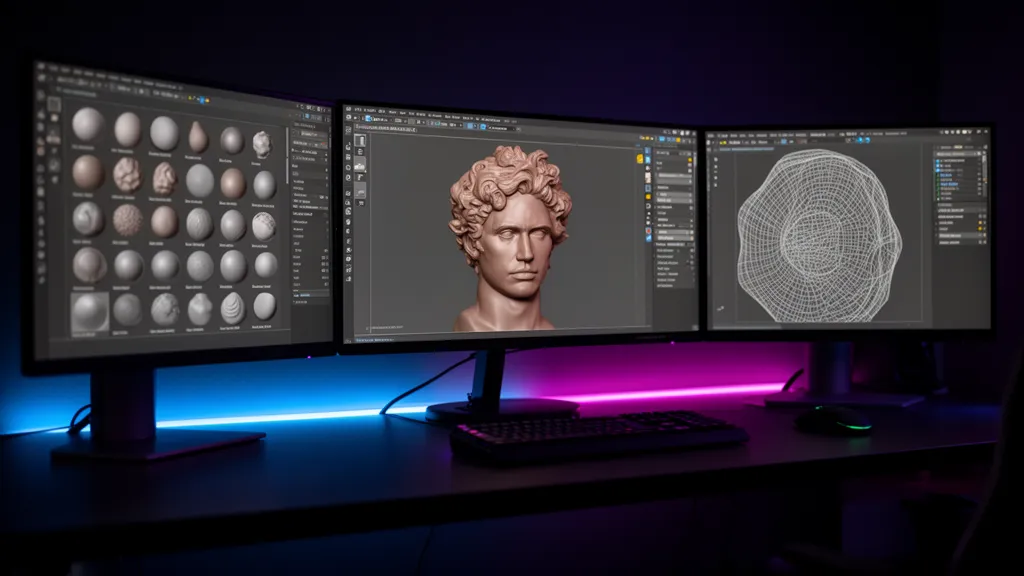
There’s no single Mudbox replacement. The right tool depends on your workflow, budget, and collaboration environment. Here’s the breakdown.
ZBrush — The Industry Standard for High-Res Sculpting
Developed by Pixologic and now owned by Maxon, ZBrush is the standard-issue sculpting tool across film and game production. Its CPU-based voxel engine is often cited as an advantage for extreme-resolution sculpting versus GPU mesh approaches. ZSpheres and DynaMesh give you powerful mesh generation, brush customization runs deep, and ZRemesher handles automatic retopology.
Two catches. First: it’s subscription-only. As of 2025, that’s $49/month or $399/year, and prices can shift, so verify current rates before committing. Choosing ZBrush means entering Maxon’s subscription ecosystem. Second: the interface architecture is distinct from most 3D tools. The Polypaint method is fast without UV prep, but it’s a different workflow from Mudbox’s layer-based approach — you’ll need to retrain muscle memory.
Blender — Complete Pipeline, Zero Cost
Blender is 100% free and open-source. Sculpt, model, rig, and render all in one package. Sculpting breaks into three modes. Remesh uses voxels to rebuild geometry, great for early exploration but risky for hard edges. Multires preserves subdivision levels with bi-directional traversal and keeps geometry sharp. Dyntopo dynamically splits topology under the brush stroke.
Blender 5.2 LTS (current as of July 2026) lets you add primitives inside Sculpt Mode without workspace switching, and a recent refactor boosted brush performance by roughly 32%. That said, GPU mesh methods have limits for extreme-resolution work compared to ZBrush, and the interface will feel unfamiliar if you’re coming from Mudbox. It’s less a dedicated sculpting specialist and more a full-pipeline solution for solo artists who want everything in one place.
Nomad Sculpt — Sculpting on Tablet
A one-time purchase for iPad and Android tablets, around $14.99 officially. No subscription, lightweight, works on the go. The tradeoff: production-scale, high-resolution sculpting isn’t its lane. Desktop availability and pricing are details to confirm.
3D Coat — Built for Paint and Retopo
3D Coat leans into texture painting and retopology. If you were using Mudbox mainly for paint work, it’s worth a look. For workflows heavy on painting and mesh cleanup over sculpting, it deserves consideration. Check the official site for current pricing and licensing.
| Factor | Mudbox | ZBrush |
|---|---|---|
| Mesh Generation | Bring your own mesh or bridge from Maya | ZSpheres & DynaMesh—Built-In Geometry Generation |
| Texture Painting | Layer-Based Workflow with Real-Time Feedback | Polypaint (No UV Required) |
| Brush Control | Standard Brushes and VDM Stamp Strengths | Custom Brushes and Rich Parameter Options |
| Retopology | Retopologize Function | ZRemesher |
| Map Baking | Flexible (Same or New Geometry) | Detail Projection After Subdivision |
The Right Tool Depends on Your Work
The real question isn’t “which tool is better”—it’s “which tool fits my workflow.” Hobby-level shape exploration and delivering production-grade game character assets demand completely different toolsets. Your work determines the answer.
| Scenario | Recommended Tool |
|---|---|
| Personal or Hobby Work—Starting Without Cost Barriers | Blender |
| Lightweight Sculpting on Tablet or Mobile | Nomad Sculpt |
| Studio Work with High-Resolution Detail Sculpting | ZBrush |
| Full Pipeline from Sculpting to Rendering | Blender |
| Heavy Emphasis on Texture Painting and Retopology | 3D Coat |
For studios running Maya-centric pipelines, the transition cost is steeper. Losing Mudbox’s “Send To” integration means redesigning the connection between your sculpting stage and the rest of your pipeline. ZBrush’s GoZ support for Maya 2027 is worth noting for studio workflows. Keep in mind the integration method differs from Mudbox’s approach—workflow testing on real projects should come before full deployment.
Freelancers should examine pricing models first. ZBrush runs on annual subscription. Blender is completely free. Nomad Sculpt is a one-time purchase locked to tablet work. These three have fundamentally different cost structures, so picking one as an absolute baseline doesn’t work. You need to calculate based on your project volume and revenue model.
Run Mudbox alongside your new tool during the five-year free license window, learning gradually. Applying new tools project-by-project rather than switching everything at once keeps migration risk manageable.
Data Migration Is Simpler Than You’d Think—With Caveats
Technically speaking, moving geometry from Mudbox to another tool isn’t difficult. OBJ and FBX are universal formats supported across most 3D software. Export your mesh in either format and it opens in ZBrush, Blender, or Maya without issue. The core migration strategy is baking high-resolution sculpting detail into normal maps or displacement maps, then layering them onto lower-resolution geometry.
The catch depends on how much tool-specific functionality you’ve relied on. Mudbox’s sculpt layer structure, PTEX textures, stamps and stencils, VDM stamps, and paint layers don’t translate directly into other software. Work built on these features needs to be “baked” into final geometry and maps—you’ll have to abandon the layered structure of your working files. Not understanding this before starting migration will catch you off guard mid-project.
Back up your original .mud files completely before migrating. Securing a fallback position is the first step, not an afterthought.
Migration Checklist
- Full backup of original Mudbox files (.mud)—complete this before starting anything else
- Bake normal maps and displacement maps from high-resolution sculpting
- Export geometry in universal format (OBJ or FBX)
- Import mesh plus baked maps into target software and verify results
- Clean up tool-dependent features (layers, PTEX, stamps, stencils)—confirm critical details survived the map transfer
- Run parallel tests with your existing tool during the five-year free period before full transition
FAQ
Will Mudbox Stop Working Immediately?
No. End of sale isn’t the same as forced shutdown. Installed versions keep running. As of August 7th, active subscribers can use Mudbox 2027 for five years free. Security updates and OS compatibility patches will stop, though. As your operating system and drivers receive major updates over time, you’ll lose stability guarantees. Use those five years as your migration window.
How Do I Move My Existing Mudbox Files?
Export geometry as OBJ or FBX and most 3D software will load it. Baking high-resolution sculpting detail into normal and displacement maps, then applying them to lower-resolution geometry, is the core migration approach. Just remember: layer structure, PTEX textures, VDM stamps, and paint layers are tool-specific and won’t carry over. Work that depends on these features needs to bake down to final geometry and maps—you’re accepting the loss of layer-level editability. Back up your original files first.
Should I Pick ZBrush or Blender?
There’s no absolute winner. Judge by your work type. ZBrush makes sense if you’re shipping studio work, handling high-resolution character detail, and need compatibility with industry-standard pipelines. Blender is practical if you want to run a complete pipeline—sculpting through rendering—in one tool without cost. Blender Sculpt Mode is improving steadily, but ZBrush still holds the edge in precision detail and brush library depth, according to most practitioners. Decide what your work actually demands first, then the choice becomes clear.
The Bottom Line—Tools Retire, Your Work Continues
Mudbox’s discontinuation is the official close to a signal this tool has been sending for years. End of sale doesn’t mean losing your work. Migrating through universal formats (OBJ/FBX) and map baking is entirely feasible from a technical standpoint.
The real decision is choosing what comes next. ZBrush if you need high-resolution sculpting and studio pipelines. Blender if you’re running a complete pipeline cost-free. Nomad Sculpt if tablet-based, lightweight sculpting is your focus. 3D Coat if texture painting and retopology carry heavy weight. These are your candidates.
Mudbox teaches us one lesson: when choosing tools, look past features. Ask whether the developer intends to keep growing the product. Even excellent tools lose their audience when development stops. The safest strategy is keeping a way back while transitioning gradually.
※ This article draws from public resources and real-world production environments. Versions, licensing, and commercial viability are subject to change—consult official documentation alongside this guide.