
3D Graphics
Why Use a Dedicated Retopology Tool When Built-in Remesh Buttons Exist?
Why Use a Dedicated Retopology Tool When Built-in Remesh Buttons Exist?
Blender has Quadriflow, ZBrush has ZRemesher, and Maya ships with a native Retopologize function. Yet walk through any professional pipeline and you’ll find dedicated retopology tools running alongside these built-in options. The question “Why buy another tool when we already have this?” is completely fair.
The answer isn’t about whose quads look prettier. Organic models—characters, creatures—and hard surface models—machines, products, architecture—have fundamentally different retopology requirements. One demands clean, uniform quads that preserve volume and flow from a high-poly sculpt. The other demands that panel edges, fillets, and silhouettes stay true to the source geometry.
This isn’t a pitch for Smart Remesh or a takedown of ZRemesher. It’s about understanding why retopology work has already fragmented into specialized domains, and which tools solve which bottlenecks within that structure.
The Real Question Isn’t Remesh Quality—It’s Bottleneck Ownership
When comparing retopology tools, the first question that usually surfaces is: “Which one produces better quads?” That frame tends to lead to wrong calls on actual projects. When quad quality is roughly equivalent between tools, the real difference comes down to this: “Does this tool handle my specific production bottleneck?”
For organic models, the bottleneck is crystal clear: convert a high-poly sculpt into animation-ready quad topology while preserving detail, and do it fast. Hard surface bottleneck? Completely different problem. Keep panel edges, CAD-sourced fillet surfaces, and complex boundary geometry intact while reducing polygon count.
Different bottlenecks mean different solutions. Asking “Which is stronger?” conflates two separate conditions and doesn’t help real decision-making. Instead of ranking tools, start by defining your bottleneck. That’s the premise of this piece.
Before comparing quad quality, ask yourself: “Is my bottleneck preserving organic detail or preserving hard surface edges?” These have different requirements and can’t be optimized by the same tool.
Three Built-in Retopology Options—Blender, Maya, ZBrush
Blender bundles Quadriflow and the Remesh modifier (Quads/Voxel mode) for free. Both generate uniform quad topology automatically and work fine for basic organic retopology. The catch: they don’t read actual model edges to preserve panel structure, so they hit a structural wall when you need to keep hard surface panel lines and fillets intact.
Maya offers native Retopologize (automatic) and Quad Draw (manual). Real workflows often skip automatic retopology and lean on manual Quad Draw instead—or they bolt external tools into the pipeline entirely. Manual work gives precision control, but on complex meshes you may end up spending time correcting automatic results by hand.
ZBrush’s ZRemesher is documented by Maxon as delivering “superior results on organic forms by default.” Since ZBrush 2019, hard-surface improvements have been implemented, with the official stance that “hard-surface and mechanical model retopology can be significantly improved with additional effort.” Leveraging PolyGroups and Creased edges enhances hard-surface output. Claiming that “ZRemesher is fundamentally weak on hard surfaces” contradicts the official documentation.
| Tool | Retopology Approach | Strengths / Limitations |
|---|---|---|
| Blender (Built-in) | Quadriflow / Remesh Auto | Excels at uniform quads / No real edge detection |
| Maya (Built-in) | Quad Draw Manual-first | Precise manual control / Automated output relatively limited |
| ZBrush ZRemesher | Automatic (Organic-Focused Optimization) | Organic Standard / Hard Surface Requires Additional Setup |
Built-in tools aren’t bad—they’re genuinely useful for general workflows and come free. But they weren’t designed to tackle specific bottlenecks head-on. That’s where specialized tools fit in.
The Market’s Already Split by Workflow—Organic Belongs to ZRemesher
In character and organic sculpting pipelines, ZRemesher dominates the high-poly-to-retopo conversation. Maxon’s own docs state it “delivers superior results out of the box for organic geometry,” and years of production work backs that up. Sure, some teams reach for Blender’s Quadriflow instead, and that’s often the right call for their needs.
So why does hard surface work still have a gap? ZRemesher owns the organic space, but when you’re dealing with hard surfaces, scans, or CAD data—where sharp panel edges and fillet preservation are non-negotiable—the default settings fall short. You need manual tweaks. That gap is exactly why the specialized tool market survives.
When CG Channel introduced Smart Remesh, they made a pointed observation: “Blender users already have plenty of retopo options.” That question hits hard in this context. When new tools keep shipping despite existing alternatives, it signals a real bottleneck the old tools can’t address.
With hard surfaces, CAD data, and 3D scans, the core pain point is straightforward: “reduce polygon density while preserving panel edges and silhouettes exactly as they are.” That’s fundamentally different from what general auto-remesh tools aim for—they’re chasing uniform quads.
Where Smart Remesh Steps In—Hard Surfaces, Scans, and CAD Data
Smart Remesh is a Blender add-on developed by Milad Kambari, a 3D artist and founder of the game outsourcing studio 3DRedBox. According to its creator, it’s engineered specifically for “imported CAD data, 3D scans, messy boolean results, and purchased models with poor topology.” The positioning is deliberate—this isn’t a universal remeshing solution, but rather a tool built around handling specific input types.
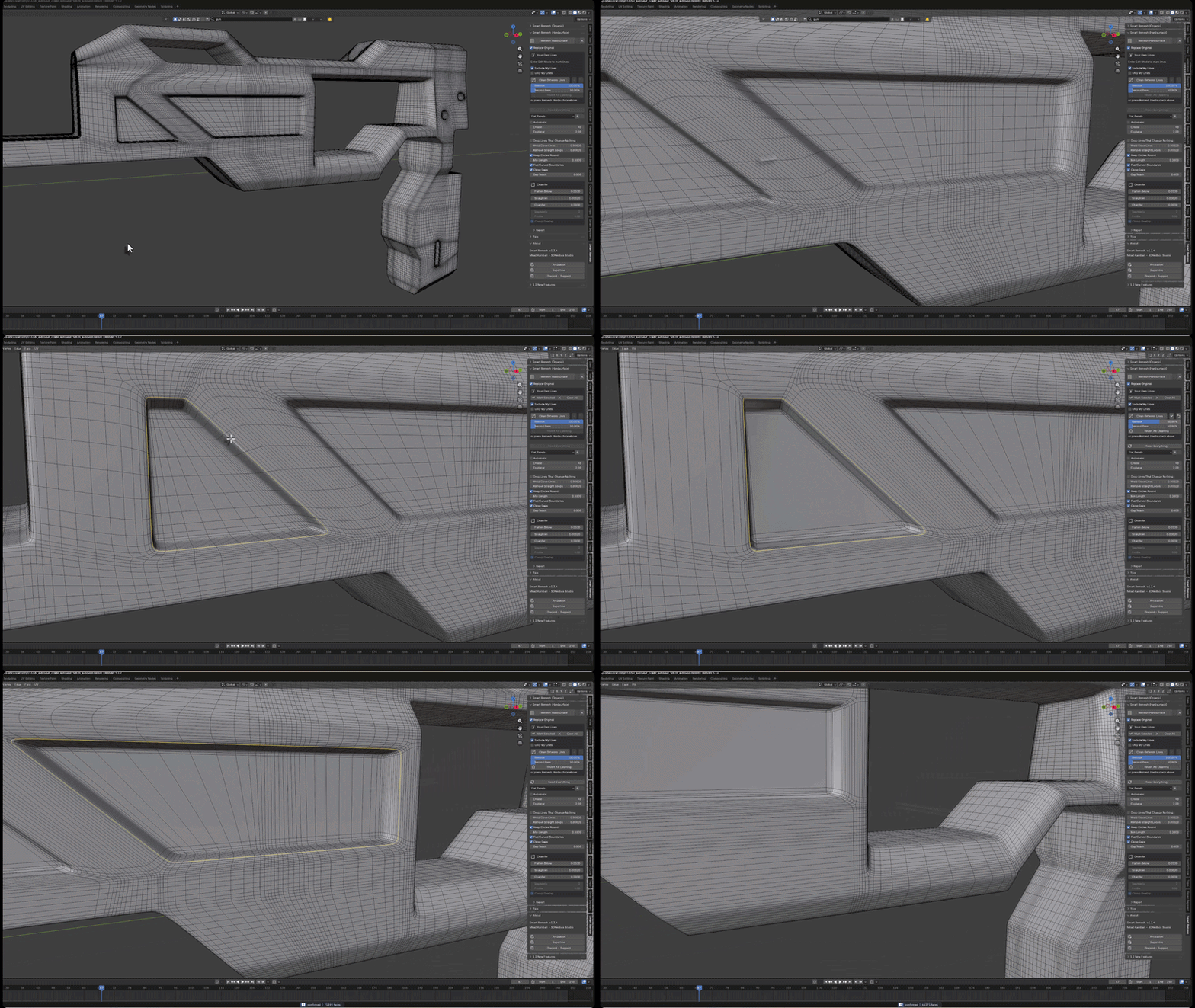
Here’s how the creator describes the hard-surface mode workflow: “Find the actual edges in your model, rebuild each planar panel as a single n-gon, and remove edge loops that don’t define the form.” The critical piece: it doesn’t move the surface. Every vertex in the output already exists on the original model, which means your silhouettes, fillets, and panel edges land exactly where they started. This is structurally different from how conventional auto-remeshers redistribute the surface.
The organic mode is built on Instant Meshes, an open-source retopology engine. Hard-surface and organic modes operate on completely different logic, so don’t mix them up. You get three presets—general purpose, detail preservation, and planar-panel emphasis—with manual control over target geometry density.
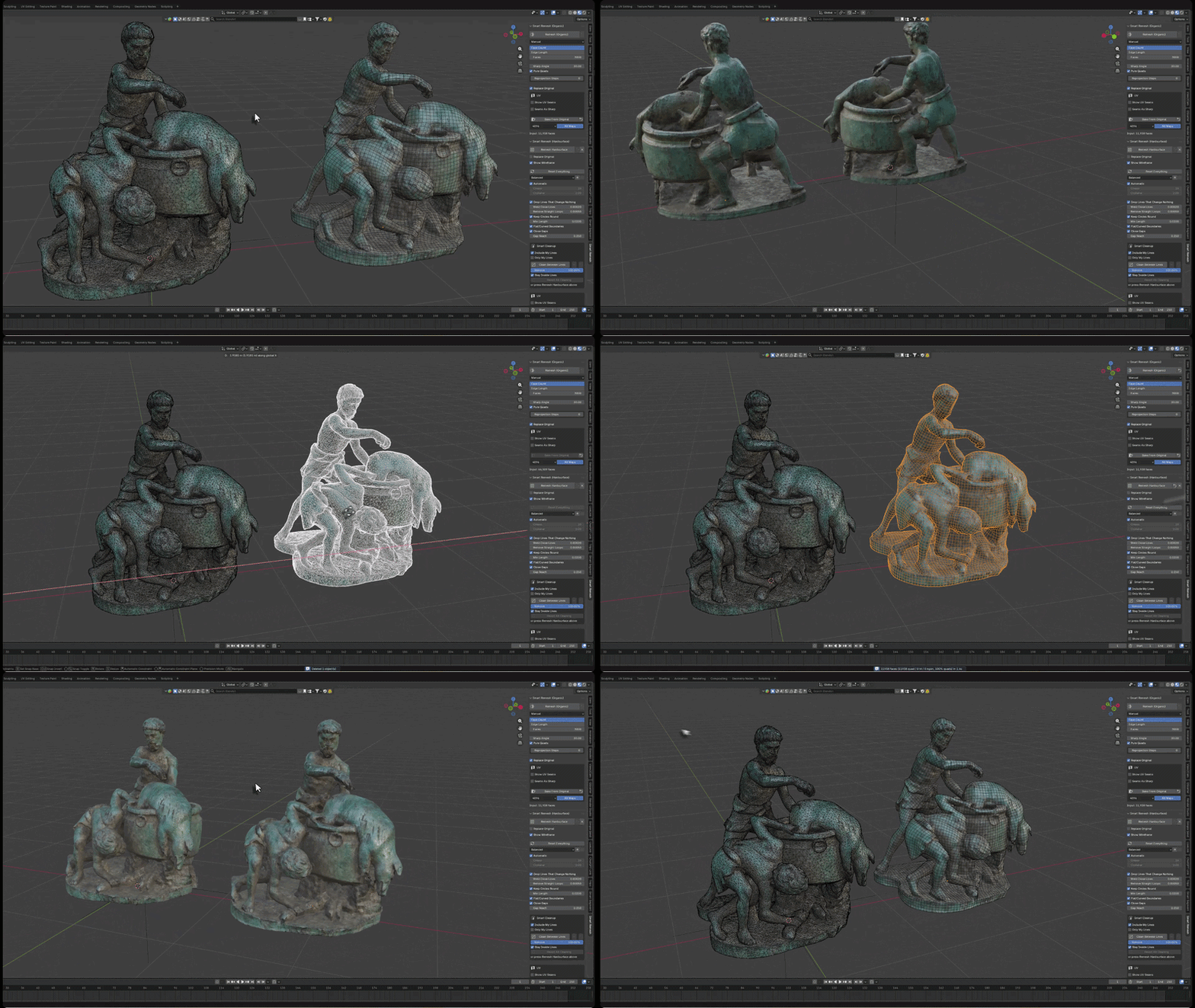
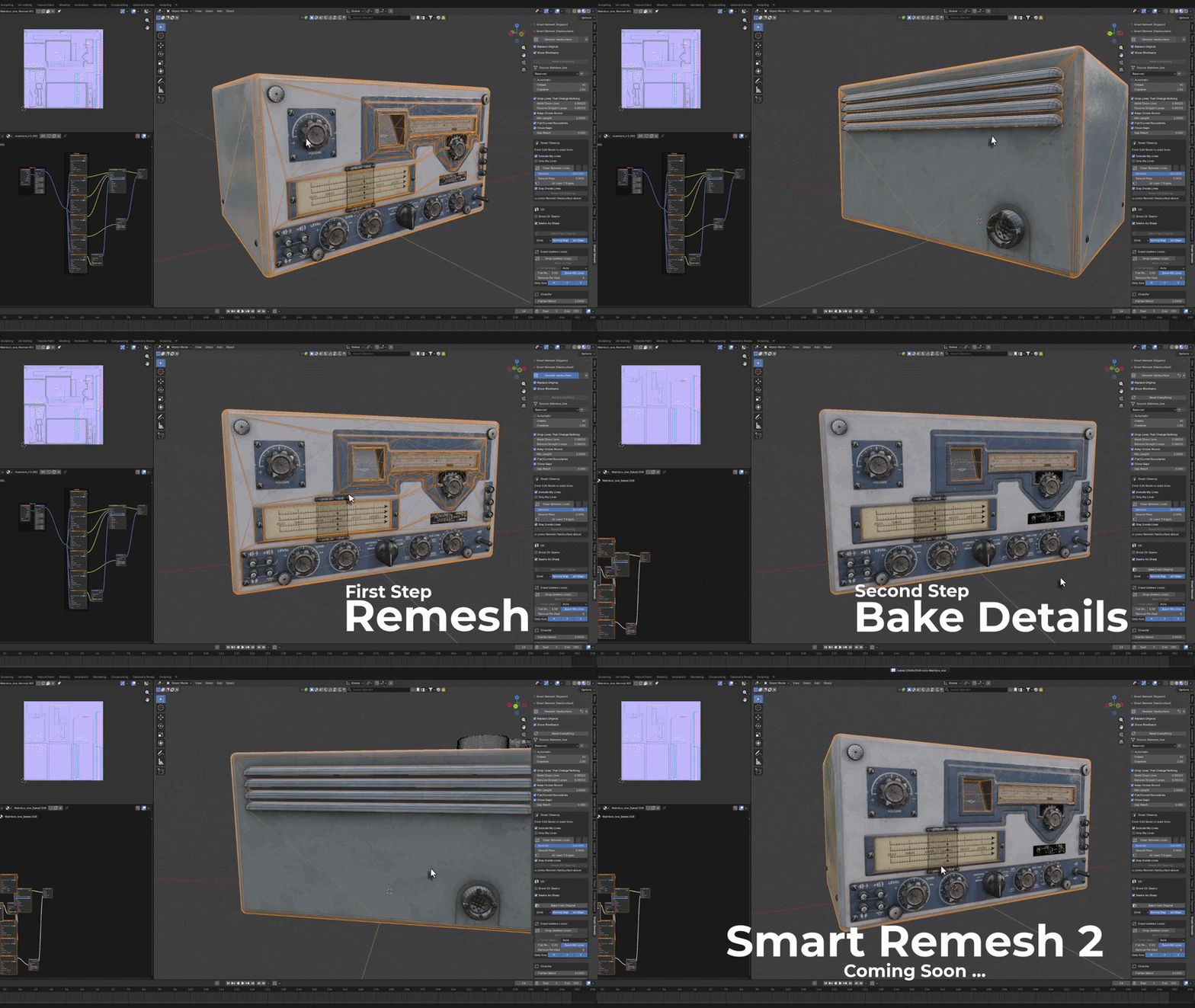
As of August 25, 2026 (per CG Channel), Smart Remesh costs $15 and requires Blender 4.2 or newer on Windows, Linux, or macOS. It hit v2.02 roughly six days after launch, which introduced multi-tile UV layouts like UDIM that maintain their position post-remesh and added high-poly detail baking in organic mode. Development is still active, so check the official page for the latest feature set.
| Mode | Target Work | Core Strength |
|---|---|---|
| Hard-Surface Mode | CAD, scans, booleans, purchased assets | Edge detection + n-gon panel reconstruction, zero surface drift |
| Organic Mode | Organic mesh retopology | Instant Meshes-based, UDIM UV preservation, baking support |
This video shows Smart Remesh converting dirty hard-surface geometry into clean quads and n-gons in real time. Watch on YouTube (link)
Smart Remesh’s “don’t move the surface” principle matters most for hard surfaces. When you’re bringing in CAD with fillet radii that need to stay exact, or mechanical parts where panel gaps are critical, this approach can eliminate a lot of manual reconstruction. That said, whether this strength actually pays off depends entirely on your input mesh quality and project constraints.
So what’s worth buying?
If your main pipeline is organic character high-poly retopology, Blender’s built-in Quadriflow or ZRemesher often get the job done. You can generate uniform quads and have room to dial in edge flow manually afterward—free tools are reasonable when you’ve got the bandwidth. Adding a new tool means real costs: learning curve, pipeline integration. Those can easily outweigh the time you’d save.
The calculation changes when you’re dealing with hard-surface models, 3D scan data, geometry imported from CAD, or topology that’s been decimated by boolean operations. In these cases, if you find yourself thinking “I need to preserve panel edges, silhouettes, and fillets exactly as they are in the source, but the manual cleanup cost exceeds what I’d spend on a dedicated retopology tool,” then a specialized solution pays for itself.
The buying decision really comes down to one question: Is your bottleneck generating uniform quads, or preserving the source geometry? If it’s the former, start with free built-in tools first. If it’s the latter and you’re repeatedly spending hours on manual restoration, that’s when you should consider investing in a dedicated package.
| Work Type | Recommended Approach | When to Consider Purchasing |
|---|---|---|
| Organic Character (High-Poly) | ZRemesher / Blender Quadriflow | Free options often sufficient |
| Hard-Surface (Mechanical/Product) | Smart Remesh hard-surface mode | Consider purchase if edge/silhouette preservation is critical |
| 3D Scans / CAD / Boolean Results | Smart Remesh or specialized tool | Purchase if manual restoration costs recur |
Smart Remesh’s hard-surface mode doesn’t guarantee production-quality results across every input scenario. Output quality varies depending on your source mesh condition—normal direction, non-manifold edges, duplicate vertices. Test it yourself or check recent user feedback before committing to a purchase.
The Bottom Line: When to Buy Retopology Tools (and When to Skip Them)
The retopology automation market has already specialized by workflow. In the organic/character space, ZRemesher remains the proven workhorse, while Blender’s Quadriflow delivers solid free results. Hard-surface, 3D scans, CAD, and boolean workflows still hit bottlenecks that built-in tools struggle with—and that’s the gap specialized solutions like Smart Remesh are targeting.
Blender and Maya’s native retopo tools have clear strengths: they’re general-purpose and free. But whether you’re optimizing for organic work or hard-surface precision, dedicated tools consistently outperform on speed and quality. That’s not a knock against built-in features—it’s just a different design philosophy.
You could argue that ZRemesher’s recent hard-surface improvements make a specialized tool unnecessary. Maxon has documented those improvements, and using PolyGroups and Creased edges does enhance hard-surface output. If the extra setup and learning curve fit your pipeline, sticking with one tool is a valid choice.
So the deciding factor for a tool like Smart Remesh is straightforward: “Am I repeatedly working on projects where I must preserve panel edges, silhouettes, and fillets exactly, and is the manual restoration cost exceeding the tool’s price tag?” Answer yes, and buy it. Answer no, and keep using what you have.
FAQ
Is Blender’s free retopology (Quadriflow) not enough for my work?
If you’re targeting clean quad topology on organic mesh, Quadriflow is a solid option. For work where you have time to manually refine edge flow afterward, sticking with the free built-in toolset makes sense. But if you’re dealing with hard surface, CAD, or scanned data—where preserving panel edges and silhouettes exactly as they are is non-negotiable—Quadriflow won’t cut it. It’s designed for a different purpose altogether.
Isn’t ZBrush ZRemesher enough on its own?
For organic character sculpts flowing directly into retopology, ZRemesher often gets the job done. Maxon’s official stance confirms it delivers better baseline results on organic work. Once you move into hard surface, CAD, or scans, their docs acknowledge you’ll need extra setup using PolyGroups and Creased edges. If that overhead is manageable in your pipeline, sticking with ZRemesher alone is a practical call. The real question is: “What costs less—the extra setup time or the manual cleanup afterward?”
Can Smart Remesh handle organic character models well?
It has a dedicated organic mode and is built on the open-source Instant Meshes foundation. v2 added UDIM UV preservation and high-poly detail baking. That said, there isn’t solid field evidence yet that it outperforms ZRemesher or Blender’s Quadriflow for organic character retopo work. Smart Remesh’s positioning from the start has been hard surface, scans, and CAD-focused. If organic work is your bread and butter, keep using what you know works and test it as a secondary option if needed.
- Retopology automation is already a specialized market split between organic and hard surface.
- Organic character work has ZRemesher as the go-to, with Blender’s Quadriflow serving as the free alternative.
- Hard surface, 3D scans, CAD, and messy boolean results all hinge on one bottleneck: preserving panel edges and silhouettes. Specialized tools fill that gap.
- Smart Remesh’s hard surface mode works on a simple principle: “the surface doesn’t move.” Every output vertex comes from the original mesh, so silhouettes, fillets, and panel edges stay exactly where they are.
- Built-in Blender and Maya tools are optimized for general-purpose, free workflows—not designed to solve one specific bottleneck.
- ZRemesher’s latest versions improved hard surface handling, but even Maxon’s own language says it requires “additional effort.”
- Buy based on “Does this solve my actual bottleneck and does that savings exceed the cost?”—not “Which tool is stronger overall?”
- High-poly organic character retopo → Start with ZRemesher or Blender Quadriflow. If the output is usable, skip buying anything else.
- Running repeated hard surface, CAD imports, or 3D scan cleanup → Weigh the cost of a dedicated tool against what you’re currently spending on manual repair work, then decide.
- Before adopting Smart Remesh, test it directly on your actual production geometry and verify the output. Results will vary depending on your input mesh state—normal direction, non-manifold topology, the works.
- Price ($15), compatibility (Blender 4.2+), supported versions as of August 25, 2026. Check current requirements before purchasing.
- Before you pick a tool, nail down what’s actually holding you back: do you need uniform quads, or does preserving the original shape matter more?
※ This article is based on publicly available documentation and real-world production workflows. Version numbers, licensing terms, and commercial use eligibility can change, so always cross-reference the official docs.