
3D Graphics
Maya 2027 Has Been Released. Learn About the New Features
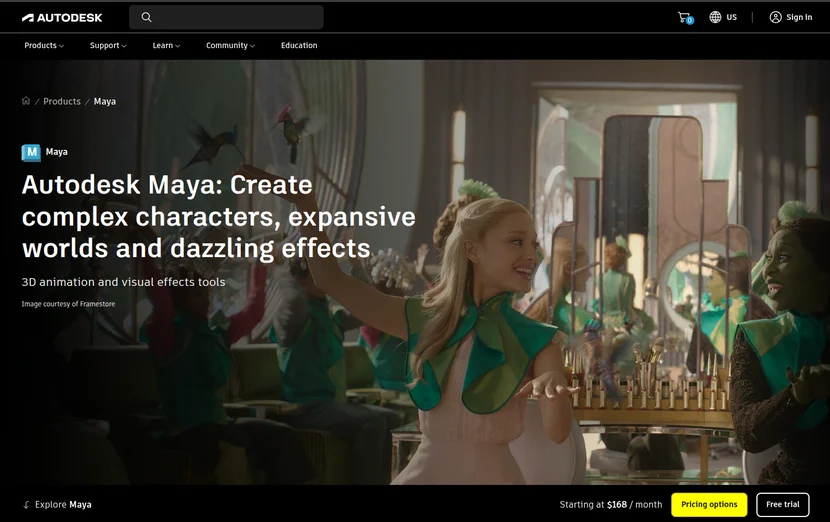
If you’ve ever used Maya, you’ve probably thought at least once, “I wish this feature were more convenient.” Perhaps you’ve experienced frustration with bevels that crush edges, tedious skinning workflows, or slow rendering times. Maya 2027, released by Autodesk in spring 2026, is packed with updates that directly address these very inconveniences. In this article, we’ll break down the core new features of Maya 2027 in a way that even first-time users can understand.
Maya 2027 Key Features Overview
Maya 2027 is a major update officially released by Autodesk in March 2026. Substantial improvements have been made across animation, modeling, rendering, and workflows. Particularly notable are the expansion of generative AI capabilities and the official integration of third-party plugins. A scaled-down edition called Maya Creative 2027 has also been released for smaller studios.
Here’s an overview of the features that are newly added or significantly enhanced in Maya 2027.
- ①Smart Bevel — Intelligent bevel system based on mesh shape
- ②Skin Tools (ngSkinTools official integration) — Layer-based non-destructive skinning
- ③MotionMaker horse character support added
- ④Sequencer interface significantly improved
- ⑤Bifrost 3.0 — Surface tension and rigid body performance enhanced
- ⑥Arnold for Maya (MtoA) 5.6.0 — Rendering speed and quality significantly improved
- ⑦LookdevX 2.0 — Material workflow improved
- ⑧Autodesk Assistant (AI assistant) experimentally introduced
- ⑨Autodesk Flow Studio integration — Convert live-action footage into CG scenes
- ⑩USD asset build workflow enhanced (Component Creator, Variant Manager added)
Maya 2027 Animation and Rigging Updates
The biggest changes Maya 2027 brings to animation and rigging are two-fold: the official integration of Skin Tools and MotionMaker’s horse character support.
Let’s start with Skin Tools. Rigging is the process of adding a skeleton to a 3D character and connecting it so that the skin (mesh) naturally follows when the skeleton moves. The process of setting “how much each bone influences which area” is called skinning. The previous Maya skinning tools made it difficult to undo mistakes once they were made. In Maya 2027, Autodesk has acquired the popular third-party plugin ngSkinTools and fully integrated it into Maya.
It’s now called Skin Tools and can be used immediately without separate installation.
The core of Skin Tools is its layer-based approach.
Just like stacking layers in Photoshop, you can stack skin weights (influence values) layer by layer and modify them at any time. It’s a non-destructive approach that doesn’t touch the original data, so you don’t need to worry about mistakes.
Additionally, new masking features (selective editing of specific areas) and mirroring (one side automatically reflects on the other) have been added.
The basic workflow for using Skin Tools is as follows.
- Prepare the character mesh and skeleton, then complete binding (Skin menu → Bind Skin).
- From the top menu, select Skin → Skin Tools to open the panel.
- Add a new layer in the layer panel and select the area to edit.
- Paint weights with the brush, then click the Mirror button if mirroring is needed.
- Toggle layers on and off to compare results and finalize only the necessary layers.
By using the masking feature in Skin Tools, you can focus on editing delicate areas like joints. If you set up a mask first so that the brush only applies to specific vertex groups rather than the entire mesh, you can greatly reduce the mistake of unintended mesh deformation.
MotionMaker is a feature that automatically generates character animations using AI.
Maya 2027 adds horse character support in addition to the previously supported human and canine characters.
The standard character name is adsk_equine, and an AI model trained on actual motion capture data automatically generates various horse movements. It’s very useful for quickly attaching animations in layout work or previz (pre-visualization, the stage of previewing scenes before actual filming).
Sequencer has also seen noticeable improvements.
Sequencer is a tool for editing multiple camera shots in sequence within Maya. This update adds trim functionality (drag shot edges to lengthen or shorten), color coding and labeling per shot, custom thumbnail generation, and a dedicated Playblast menu, making scene management much more intuitive.
Maya 2027 Modeling and UV Editing Tools Enhanced
The most noteworthy new feature in the modeling field is Smart Bevel.
Beveling is the process of rounding the sharp edges (edges) of a 3D object. For example, if you slightly round the corners of a box, it looks much more realistic, and the tool used for this is Bevel.
The existing Bevel tool generated bevels based on mesh topology—how polygons are connected. This meant that with uneven edge spacing or complex meshes created through Boolean modeling (combining two objects by adding or subtracting), edges would often become crushed or skewed.
Smart Bevel solves this problem by calculating bevels based on actual shape rather than topology. This allows clean, uniform results even on complex meshes.
Here’s how to use Smart Bevel.
- Select the mesh to edit and switch to edge mode (shortcut F10).
- Select the edges you want to bevel.
- From the top menu, click Mesh Tools → Smart Bevel.
- In the options window, adjust Segments (subdivision count) and Fraction (bevel width ratio) values. Try starting with Segments at 2 and Fraction at 0.3.
- Check the results in the viewport and press Enter to apply.
Smart Bevel may produce unexpected results if the mesh topology is extremely complex or contains many n-gons (polygons with 5 or more vertices). It’s recommended to organize the mesh into quads (4-sided polygons) as much as possible before applying.
In terms of UV editing and material workflows, LookdevX 2.0 has been updated.
LookdevX is a node-based tool for designing materials within Maya.
This update expands the UV texture menu, and MaterialX documents now support relative paths so texture links won’t break when files are moved. Icons have also been reorganized for better visual readability.
USD workflow has also been enhanced.
USD (Universal Scene Description) is a universal 3D file format developed by Pixar for exchanging scene data between multiple software packages. Maya 2027 adds Component Creator and Variant Manager, making it much easier to build USD assets and manage variant versions.
Maya 2027 Rendering and Arnold Integration Changes
Rendering is the process of converting a 3D scene into a final image or video. Arnold for Maya (MtoA) 5.6.0, which is updated alongside Maya 2027, is based on the Arnold 7.5.0.0 engine and has made notable advances in both speed and quality.
The most noticeable improvement is USD instancing performance. Instancing is a technique for saving memory when placing thousands or tens of thousands of identical objects by sharing source data. For example, when placing thousands of trees in a forest using instancing, each tree doesn’t need separate data. MtoA 5.6.0 treats USD instances as lightweight instancing, greatly reducing internal node counts in Arnold. In actual tests, time to first pixel rendered was shortened by 85% and memory usage decreased by 42%. Why didn’t this happen before? It’s frustrating.
GPU volume rendering speed has also improved up to 3.5x. Volume rendering is a method for rendering density-based fluid effects like smoke, clouds, and fire. Thanks to newly added OpenVDB mipmap support, render speeds have significantly increased for volumes with high scattering like clouds. Mipmaps are a technique where the same texture or volume data is stored at various resolution levels and automatically selected based on distance or situation.
Global Light Sampling (GLS) has also been improved. GLS is a technique that more efficiently samples lighting in a scene to reduce noise. This update reflects the spread parameter of quad and disk lights in GLS, improving render speed up to 6x in narrow beam lighting scenarios and 1.4x in general lighting scenarios.
Beyond these, various features have been added including new hair scattering modes, line shader and nearest_points shader, GPU denoising support on Linux, NVIDIA Blackwell GPU support, Light Blocker negative density support, and more. Arnold Render View also now features a new real-time Render Reports function.
OpenVDB mipmap volumes can be generated directly using the AiVolumeFileMakeLODs function in Arnold API or the -makevolumelods flag in kick command line. Both methods require three arguments: input file, output file, and maximum level count. If you find cloud or smoke scene rendering slow, definitely give this a try.
Maya 2027 Workflow Optimization and Performance Improvements
Beyond individual features, Maya 2027 includes various improvements to make the entire workflow faster and more convenient.
Notable examples are Autodesk Assistant and Autodesk Flow Studio integration.
Autodesk Assistant is an AI-powered assistant built into Maya.
Currently provided as an experimental (Tech Preview) feature, you can search for unknown features or workflows without leaving Maya and get answers immediately. For example, if you type “How do I do UV unwrapping?”, you’ll get step-by-step guidance right away.
While still in early stages, this is a feature with great potential for future development.
Autodesk Flow Studio integration is a cloud-based AI toolkit that converts live-action footage into CG scenes.
When you input actual filmed footage into Flow Studio, it automatically extracts motion capture data, camera tracking information, alpha masks, clean plates (background-only separated images), and character paths, outputting them in a form that can be used directly in Maya.
VFX pipeline is greatly simplified without complex manual setup.
Bifrost 3.0 is also noteworthy. Bifrost is a system within Maya for simulating complex natural phenomena like liquids, smoke, and particles.
Maya 2027 improves rigid body performance (physics simulation of hard objects colliding and bouncing), and newly adds surface tension settings. Surface tension is the physical property where water beads form or liquid surfaces remain taut. Thanks to this feature, water droplets and splashes can be expressed much more realistically at high resolution.
Maya 2027’s overall direction is toward faster iteration, improved layout tools, and flexible procedural workflows. Now go ahead and open each new feature yourself and apply it to your work.
Start with Smart Bevel and Skin Tools right now in Maya 2027!
Create clean edges with Smart Bevel, and layer skinning with Skin Tools