
Knowledge
HDRI-Only Interiors:A Complete IBL Workflowfor Maximum Quality
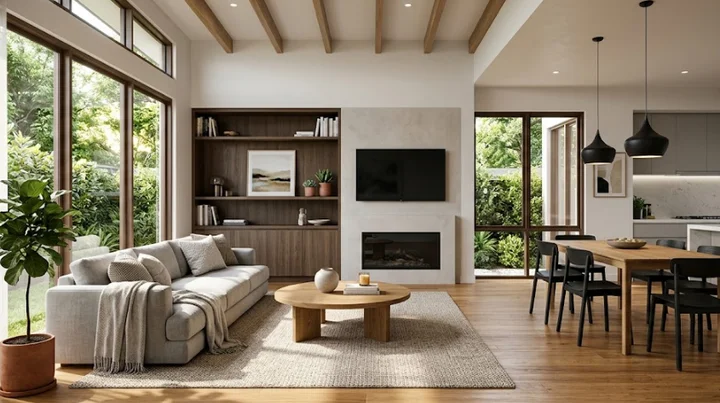
HDRI-Only Interiors:
A Complete IBL Workflow
for Maximum Quality
Everything you need to know about using Image-Based Lighting to get photorealistic results with a single HDRI — from file selection to final render.
HDRI (High Dynamic Range Image) files are one of the most powerful tools a 3D artist has. When used as an IBL (Image-Based Lighting) source, a single HDRI can replace complex studio light rigs — giving you realistic color temperature, soft shadows, accurate reflections, and natural highlights all at once.
Understanding HDRI and IBL
An HDRI is a 360° panoramic image with an extended dynamic range — it captures the full luminance of a real environment, from deep shadows to direct sunlight. IBL uses that panorama as the actual light source for your 3D scene.
Unlike traditional CG lights, IBL produces physically accurate color temperatures, natural shadow falloff, and environment-matched reflections on every surface. For product visualization and architectural renders, this is a game-changer — especially when brand consistency across a series of images matters.
What Makes a Good HDRI?
Not all HDRIs are created equal. Here’s what to look for before loading one into your scene:
Preserves real light energy. 8-bit JPGs clip highlights and destroy shadow detail — avoid them entirely.
Ensures the sun or bright light sources aren’t clipped. Critical for accurate specular highlights on metal and glass.
Lower-res HDRIs produce blurry reflections on close-up product shots. Go 16K for hero renders.
Lets you rotate the environment precisely so shadows fall where you intend them to.
Essential for color-accurate CI work. Poly Haven labels all HDRIs with color temperature metadata.
The IBL Workflow
Overcast sky for soft, diffused interiors. Direct sun for bright, contrasty spaces. Match color temperature to your intended atmosphere. Poly Haven is an excellent free source for production-quality files.
Scene Planning
In Blender: World Properties → Environment Texture → load your EXR. In Unreal Engine: use the HDRI Backdrop Actor or Sky Light for seamless IBL integration.
Software Setup
Rotate the HDRI so the key light direction feels natural for your composition. Dial back intensity if highlights are blowing out. A slight contrast boost can add drama without breaking physical accuracy.
Lighting Tuning
A single rim light or small area light can lift shadow detail on product labels or edges. Keep the HDRI as the dominant source — supplemental lights should be subtle and invisible.
Light Supplement
Use ACEScg → RRT/ODT or an sRGB tone mapper to keep highlights clean and brand colors accurate across output targets.
Color Pipeline
Check metal reflections, glass refraction, and fabric sheen. Test under studio, interior, and exterior HDRIs to make sure your materials respond correctly in all conditions.
Quality Check
- Using a low-resolution HDRI on close-up renders — reflections will look smeared and soft
- Setting HDRI intensity too high — the scene will wash out and lose shadow contrast
- Ignoring rotation — misaligned sun direction makes shadows feel unnatural
- Sensor non-linearity artifacts in some HDRIs can cause subtle color banding in extreme highlights
- Large EXR file sizes (16K can exceed 200MB) — factor this into your asset pipeline and storage strategy
Bottom Line
For any render where realism matters — product visualization, architectural interiors, material showcases — IBL with a quality HDRI is one of the highest-leverage techniques available. The setup is fast, the results are convincing, and a well-chosen HDRI gives you global illumination, reflections, and color grading in a single asset. Master the workflow once and it pays dividends on every project.