
3D Graphics
Maya HDRI Lighting Guide: Updated Production Workflow
Maya HDRI Lighting Guide: Updated Production Workflow
Overview
HDRI (High Dynamic Range Image) lighting in Maya is still a fundamental technique for achieving realistic rendering. However, in current production workflows, HDRI is no longer treated as a simple environment texture. It is part of a broader lighting pipeline involving Arnold, ACES color management, and scene-specific lighting strategies.
1. Core Structure of HDRI Lighting
The fundamental setup remains unchanged:
Connect HDRI → color
Control brightness via exposure
This method is still the most physically accurate way to simulate global illumination from an environment map. There has been no major structural change to this workflow in recent versions of Maya or Arnold.
2. Resolution Is a Trade-Off, Not a Rule
A common misconception is that the SkyDome resolution must match the HDRI resolution. In practice, this is not required.
Lower resolution → faster render times
In production, artists frequently reduce resolution to balance quality and performance. The correct value depends on the importance of reflections in the shot.
3. Color Management (ACES) Is Now Critical
HDRI maps must typically be set to:
Using sRGB or other color spaces will distort light intensity and produce incorrect reflections. Modern pipelines rely on ACES, and HDRI must be treated as linear data.
4. Interior vs Exterior Lighting Behavior
SkyDome Light is designed for exterior lighting. Using HDRI alone in interior scenes leads to noise and inefficient light sampling.
Correct approach:
Add Area Lights to guide light
This is not optional in production — it is required for clean renders.
5. Separation of Lighting and Background
In modern workflows, HDRI is often split into two roles:
HDRI (background) → visible to camera
This allows independent control of exposure, reflections, and composition. Using a single HDRI for both purposes limits flexibility.
6. Updated Look Development Workflow
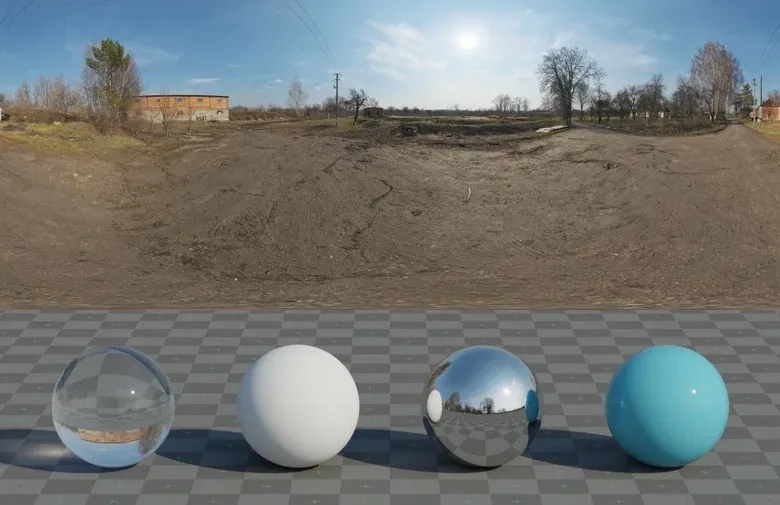
Older tutorials often use simple spheres for testing. While still valid, current workflows are more structured.
Neutral HDRI for material validation
Controlled lighting environment
The goal is repeatability and consistency across assets, not just quick testing.
7. Material Response Under HDRI
HDRI lighting heavily depends on how materials are configured in Arnold.
specular_roughness → controls reflection sharpness
base_weight → controls diffuse contribution
Incorrect material setup is one of the most common causes of poor HDRI results.
Limitations and Common Mistakes
Resolution matching is not mandatory
ACES misconfiguration causes major errors
Conclusion
HDRI lighting itself has not significantly changed. What has changed is how it is used.
Lighting strategy (interior vs exterior)
Separation of lighting and background
Performance optimization